
Real-time LLM Analytics at ControlAI
Launching NOW: the power to analyze all your user's conversations

Since the launch of our platform, we’ve been busy working with our clients on the security and compliance of their LLM stack.
From dozens of conversations, one thing was clear: there was a need not only for a dedicated compliance documentation analysis but a solution to monitor the performance of your LLM in real-time.
Starting today, the users of our platform, available at app.controlai.org can do that.
We’re excited to release the Analytics tab, capable of summarising the information about your conversations, users and give you insight into recent conversations with your users.
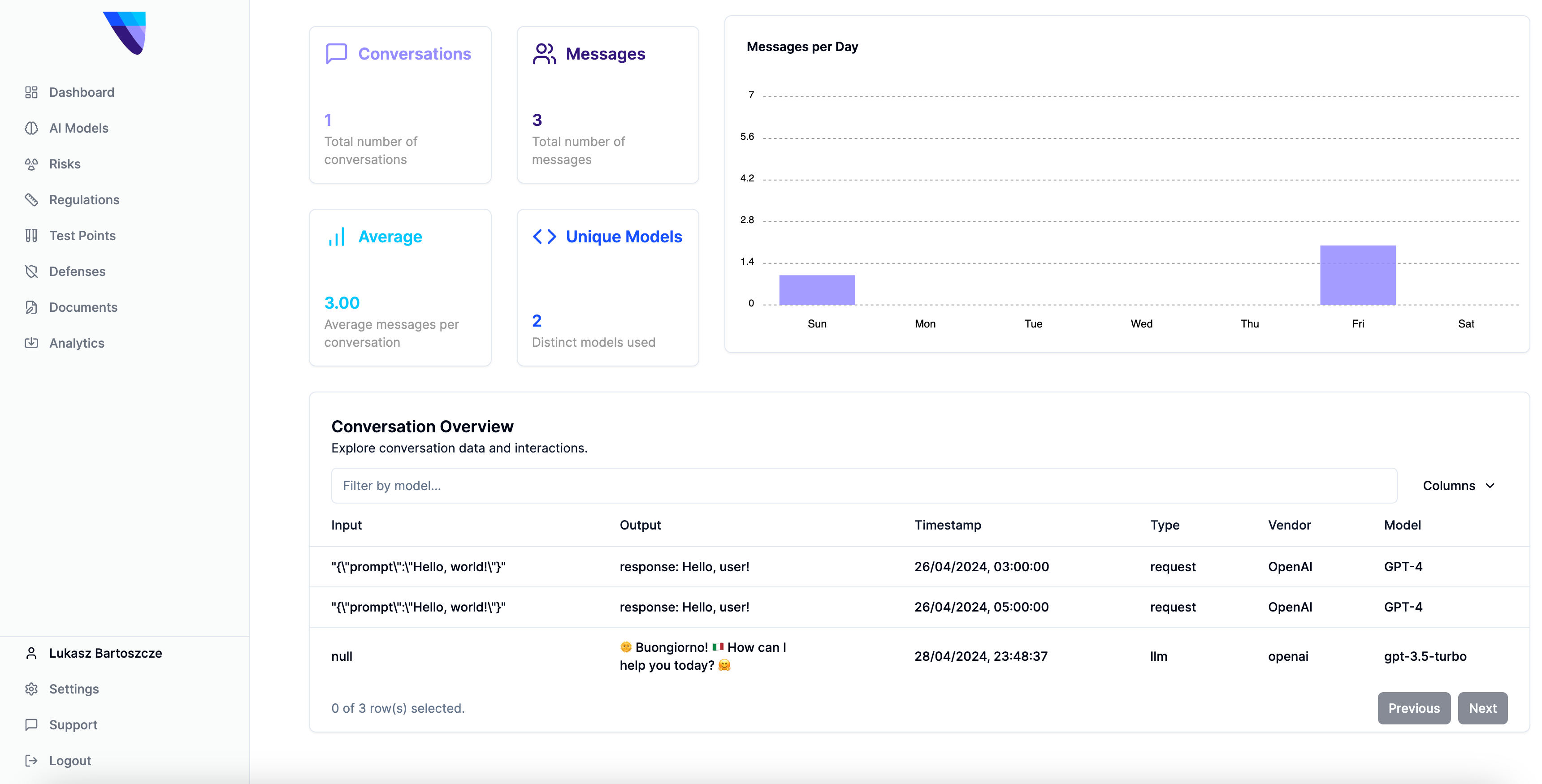
We will soon enable you to evaluate the models using a dedicated set of benchmarks to proactively check your models before deployment and real-time API for guardrail usage.
Let’s start with what you can do to track your performance. The main structure is as follows: we provide you with a Python package that sends a request to our API. Then we log the metrics on our platform, giving you a full picture of the usage of your LLM tools.
Start by generating an API key using the Settings tab at app.controlai.org. Then, install our package, named cntrlai from PyPI using
pip3 install cntrlaiOnce the package has been installed, you can invoke the API using a variety of methods. Here is a representative example of how you might use it.
import asyncio
import logging
import os
import uuid  # Import UUID for generating unique identifiers
from dotenv import load_dotenv
import cntrlai.openai
import chainlit as cl
from openai import OpenAI

# Basic setup for the logging
def setup_logging():
    logging.basicConfig(
        level=logging.INFO,
        format='%(asctime)s - %(levelname)s - %(message)s',
        datefmt='%Y-%m-%d %H:%M:%S',
        handlers=[logging.StreamHandler()]  # Console output
    )

# Initialize logging
setup_logging()

# Load environment variables
load_dotenv()
logger = logging.getLogger("chainlit")
logger.info("Environment variables loaded.")

client = OpenAI()
logger.info("OpenAI client initialized.")

conversation_id = None  # Initialize conversation_id variable

@cl.on_message
async def main(message: cl.Message):
    global conversation_id  # Access the global conversation_id variable

    # Get or generate a conversation ID for the current conversation
    if not conversation_id:
        conversation_id = str(uuid.uuid4())
        logger.info(f"New conversation started with thread ID: {conversation_id}")

    metadata = {
        "user_id": "optional-user-123",
        "conversation_id": conversation_id  # Use the conversation-specific conversation ID
    }
    logger.info(f"Received message: {message.content}")

    with cntrlai.openai.BasicLoggerOpenAI(client, metadata=metadata):
        logger.info("Starting completion tracing with metadata.")
        # Log the messages being sent to the API
        api_messages = [
            {"role": "system", "content": "You are a coding specialist, proficient in machine learning and programming topics. When asked about code, you output it in full, with no omissions."},
            {"role": "user", "content": message.content},
        ]
        logger.info(f"Sending messages to API with metadata: {api_messages}")

        completion = client.chat.completions.create(
            model="gpt-3.5-turbo",
            messages=api_messages,
            stream=True
        )

        msg = cl.Message(content="")
        for part in completion:
            if token := part.choices[0].delta.content or "":
                logger.info(f"Streaming token: {token}")
                await msg.stream_token(token)
        await msg.update()
        logger.info("Message updated successfully with metadata.")

if __name__ == '__main__':
    test_message = cl.Message(content="Hello, how are you?")
    asyncio.run(main(test_message))
    logger.info("Bot script executed with dynamic thread ID.")
Before running this script, ensure the .env variables are configured as expected. This means setting up your .env file to look like this:
OPENAI_API_KEY="YOUR_OPENAI_KEY" CONTROLAI_API_KEY="API_GENERATED_FROM_SETTINGS_AT_APP.CONTROLAI.ORG” CONTROLAI_ENDPOINT="https://app.controlai.org"Once it is configured, you can use Chainlit to generate a local version of an LLM interface for you to test. Run the following command:
chainlit run "PATH_TO_THE_EXAMPLE” And you should see something similar to the setup below:
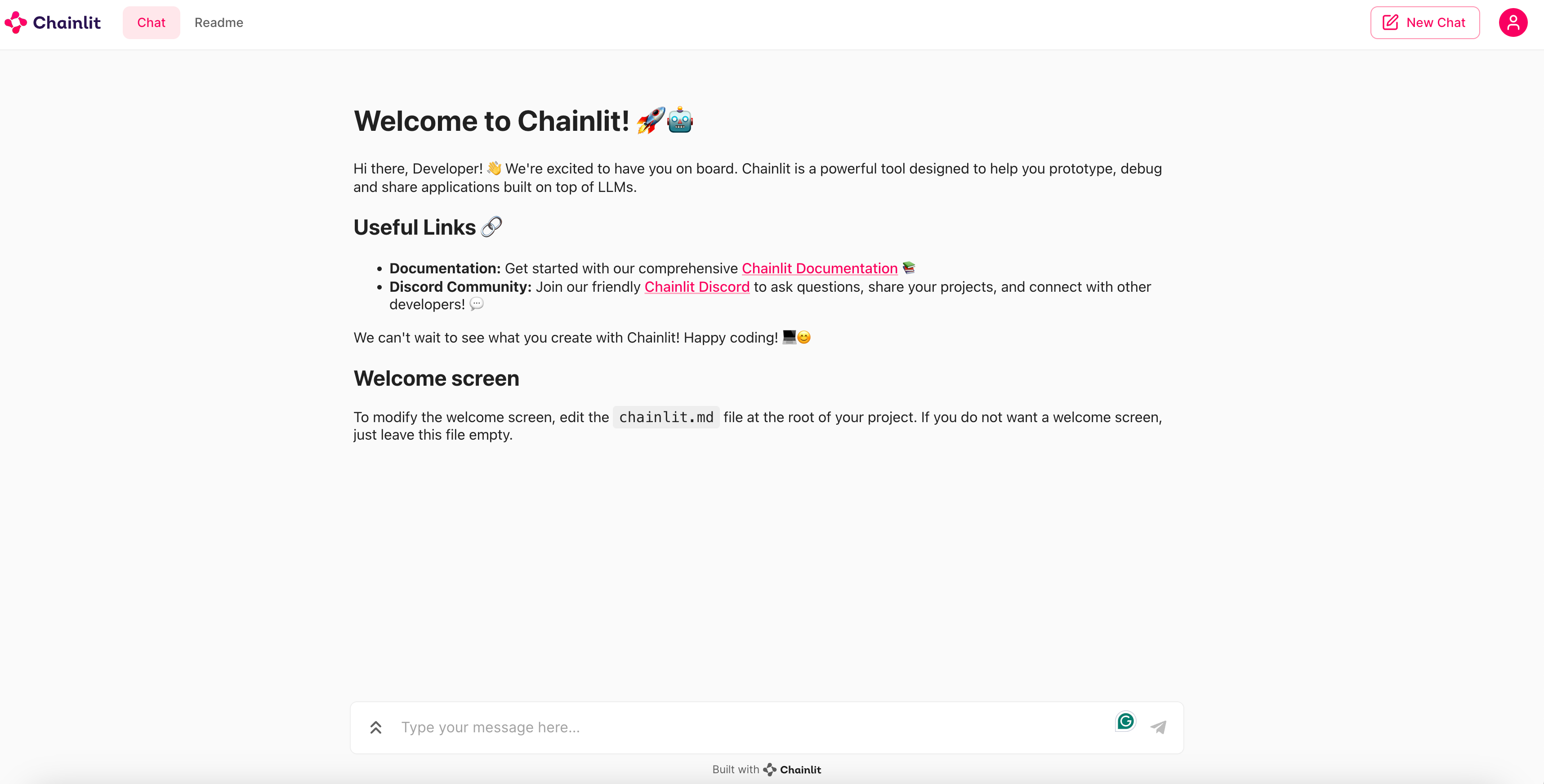
Now every message you input here will be captured by our analytics. Open the app.controlai.org/analytics page in a separate tab and watch your messages get registered and analyzed there in real time.
Through this, you can analyze, safeguard and moderate the content your LLM is outputting in the wild. The open nature of the package empowers you to integrate our tracking features with whatever setup you want. It works not only with OpenAI models, but also LangChain and other setups. If you are not satisfied with options we’ve built, you can send information using your API key to our API directly.
At ControlAI, we focus on end-to-end AI quality assurance. By integrating real-time analytics into our current product, we can move towards both analyzing compliance and cybersecurity.
The API is a first step towards enabling you to do that. We plan to expand it significantly in the weeks moving forward.
Subscribe to our Substack, follow our LinkedIn, talk to us directly or check out the app yourself at app.controlai.org.
May your AI models stay safe and complaint!